
Download SimTelemetry
Record, compare, and analyze your sim racing telemetry locally. Free
Windows SmartScreen
If Windows shows "Windows protected your PC", that is the normal SmartScreen prompt for a new app. Click More info, then Run anyway.
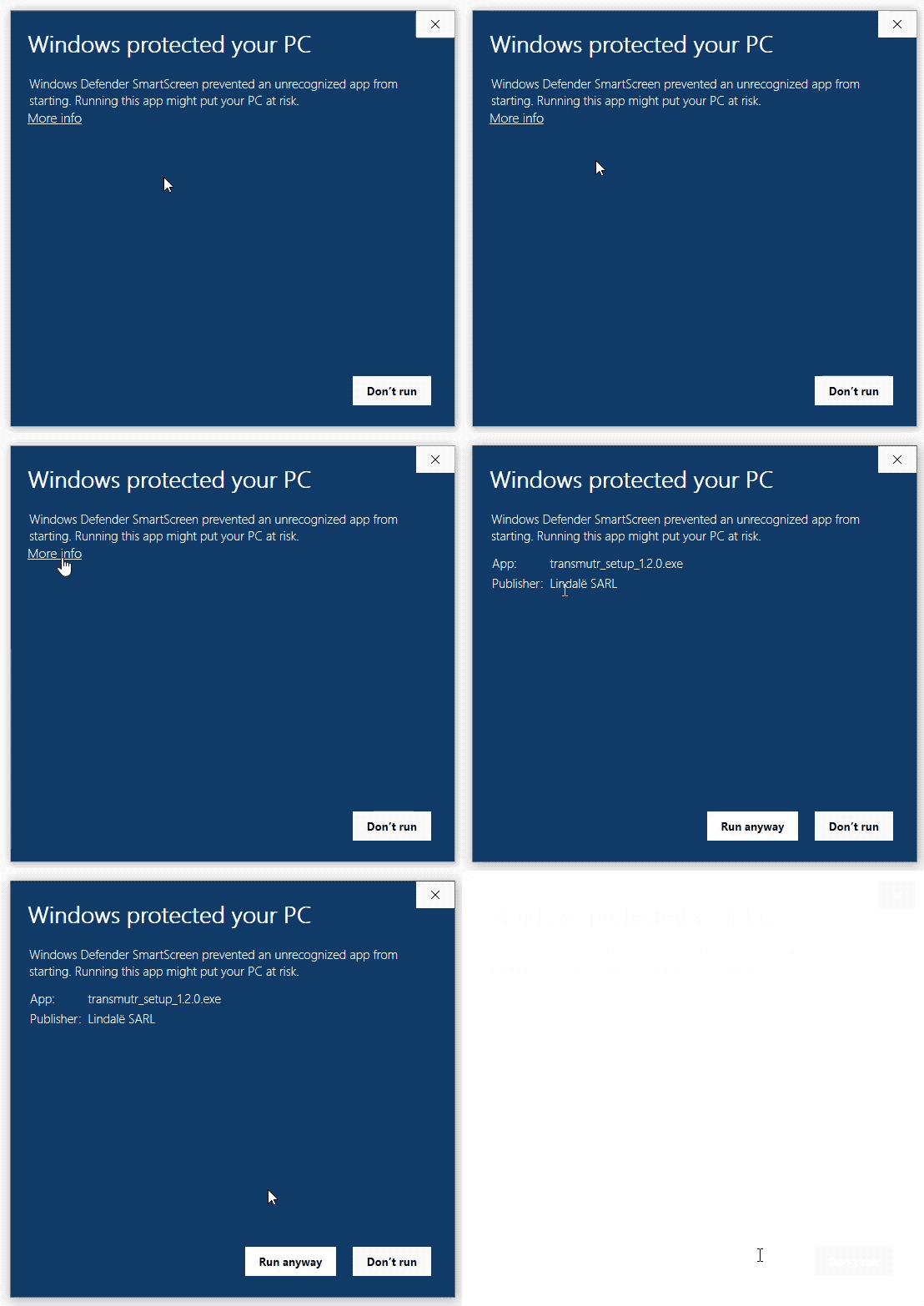
1. Open the installer
Run the downloaded file like normal.
2. Click More info
Expand the SmartScreen dialog to show the allow option.
3. Click Run anyway
Windows will continue launching the installer.
Quick Setup
1
Install
Run the installer and follow the setup wizard.
2
Launch a sim
Open SimTelemetry, then start your sim. Recording begins automatically.
3
Analyze
View telemetry traces, compare laps, and find time on track.